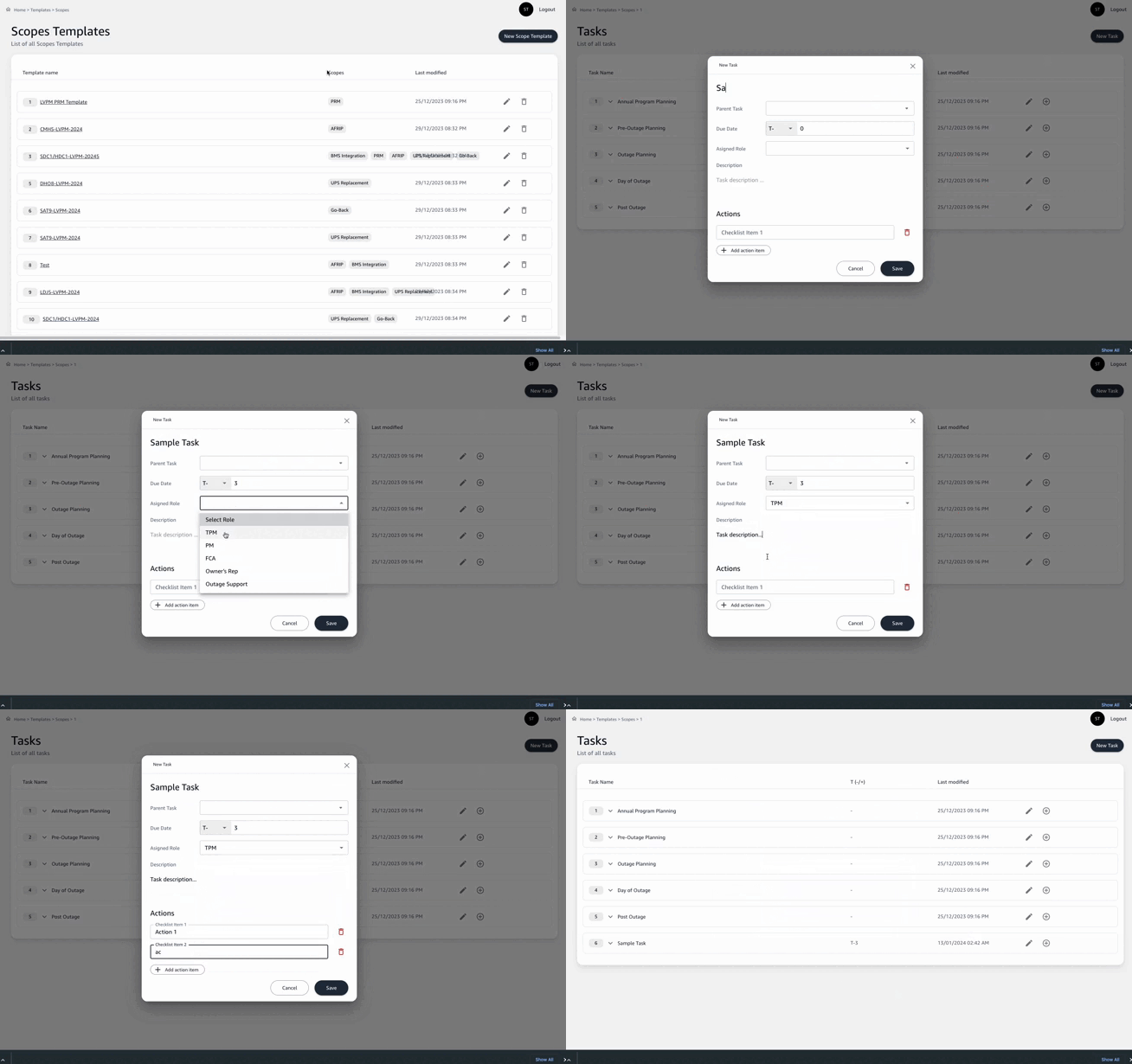
Adding Tasks to a Template
Each task represents an action item or milestone within the scope template:
-
Open the desired Scope Template by clicking on it from the list.
-
Select
New Taskto add a task related to the scope of work. -
Fill in the task details:
Task Name: Enter a clear and concise name for the task.Due Date: Assign a due date using the T-minus format to indicate the remaining days until the task's execution date. For example, T-140 would indicate the task is due 140 days from the project's execution date.Assigned Role: Choose the role responsible for the task from a dropdown of project team roles.Description: Provide a brief description of the task and its objectives.- If there are specific actions required for the task, use the
Add action itembutton to list them.
-
After entering all information, hit
Saveto add the task to the scope template.