Creating a Scope Template
To streamline project planning, you can create a scope template that encompasses all the necessary tasks for a particular project phase or delivery:
- In the
Scopestab, click on theNew Scope Templatebutton located in the upper-right corner. - Enter a descriptive
Template namethat represents the work scope, such as "LVPM PRM Template". - Define the
Scopesfield to categorize the type of work, for example, "PRM". - Click
Saveto create your new template.
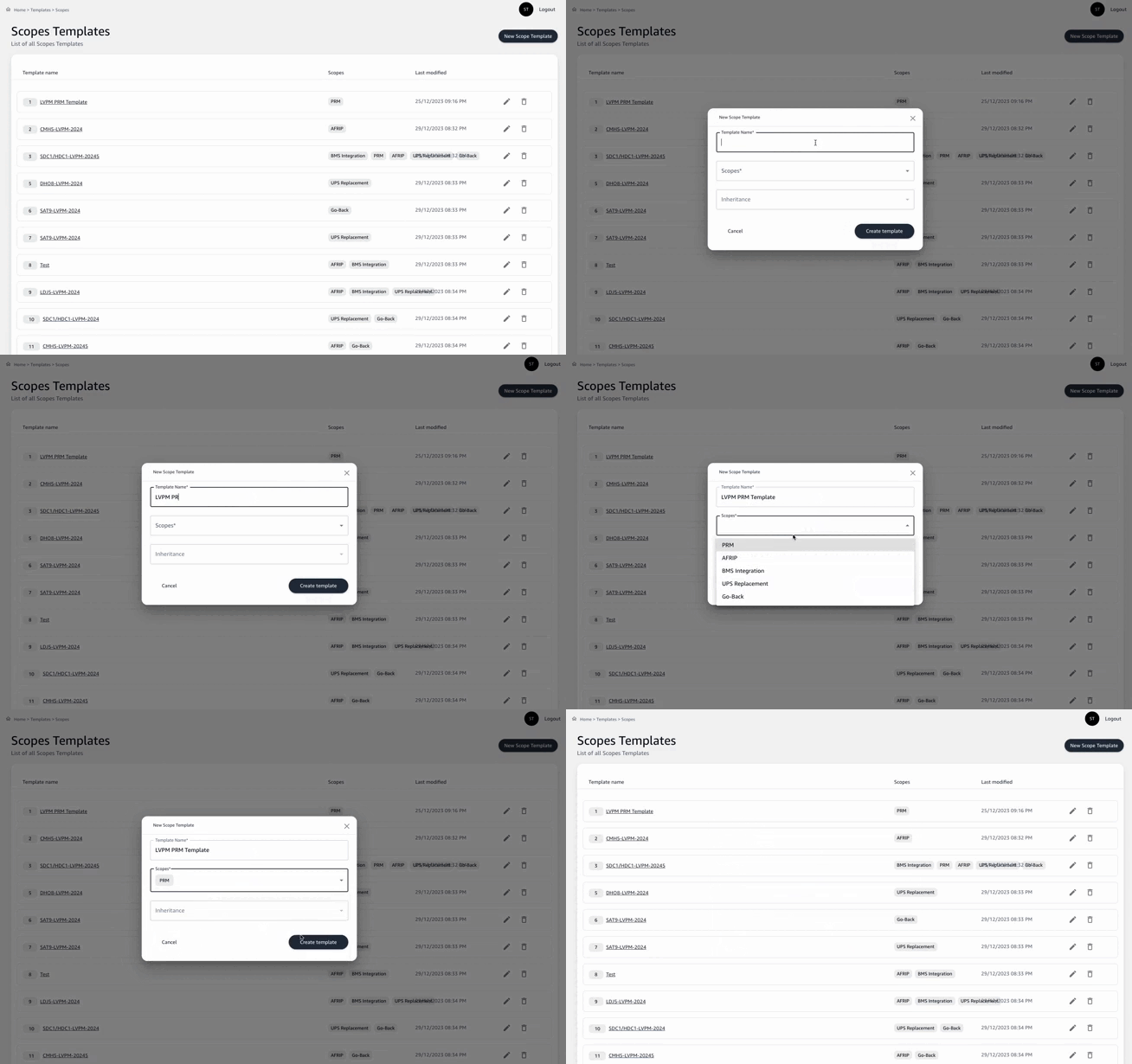
Once the template is saved, it's ready for task assignment.