Overview of Sites
When you navigate to the "Sites" tab in the application, you will be presented with a comprehensive list of all active sites, each associated with a specific project within the Amazon Software system. Here’s how to use this feature effectively:
Accessing the Sites List
To view the list of all active sites:
- Select the
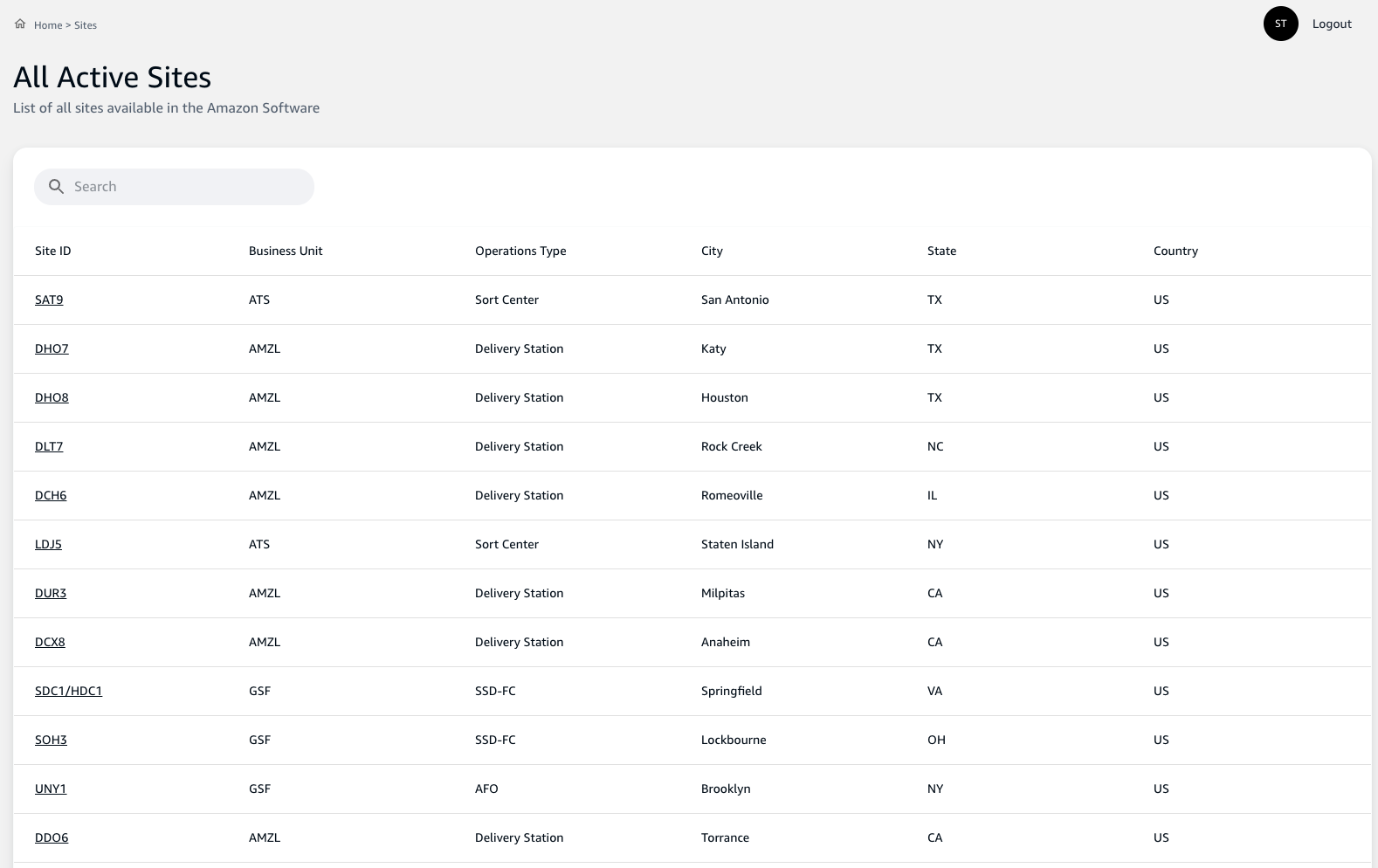
Sitestab from the main navigation menu. - A table will appear displaying a list of sites, each entry including the following information:
Site ID: A unique identifier for each site.Business Unit: The business unit that the site belongs to.Operations Type: The type of operations conducted at the site, such as a Delivery Station or Sort Center.City,State, andCountry: The location details of the site.
Searching for a Site
If you need to find a specific site or narrow down the list:
- Use the
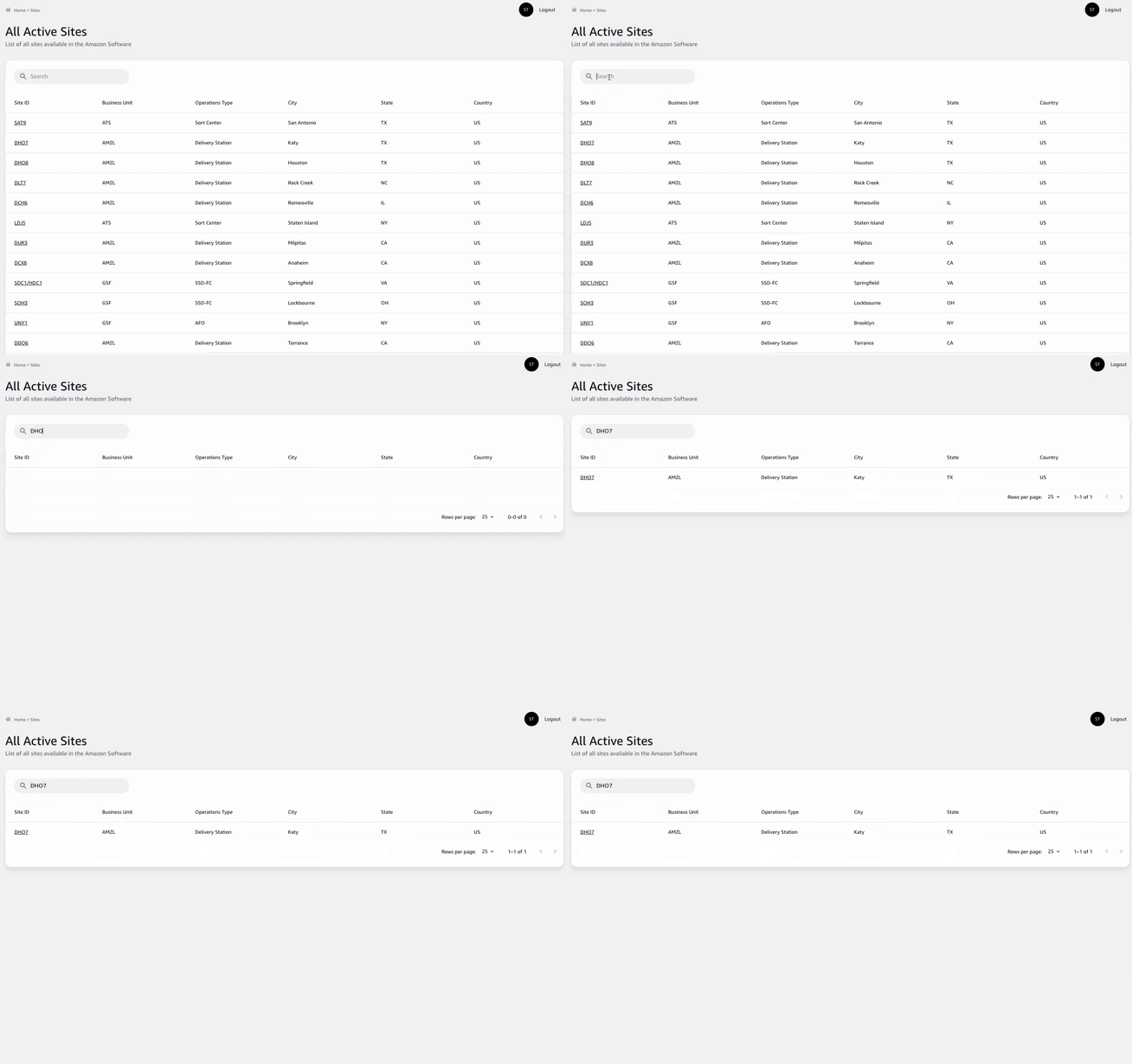
Searchbar at the top of the list to type in keywords such as the site ID, city, or state. - The table will dynamically filter to match your search criteria, making it easy to find the site you are looking for.
Understanding the Site Details
Every listed site can be selected for more detailed information. By clicking on a site entry:
- You will access detailed data regarding the project activities, scope, and status specific to that location.
- This detailed view is essential for project managers to plan and oversee project execution effectively.
By understanding and managing the Sites within your project management application, you ensure that all project activities are accurately associated with their physical locations, providing a clear, organized framework for site-specific project management.
Remember to keep site information up-to-date and revisit the Sites list regularly to reflect any changes in operations or to add new project locations as your work scope expands.