Site-Level Contacts
The "Contacts" tab provides essential contact details of personnel associated with the site. Keeping this information current is vital for effective communication and coordination throughout the project lifecycle.
Accessing Site-Level Contacts
To view the contacts for a site:
- Select the desired site under the
Sitestab. - Click on the
Contactstab to access the site's contact list.
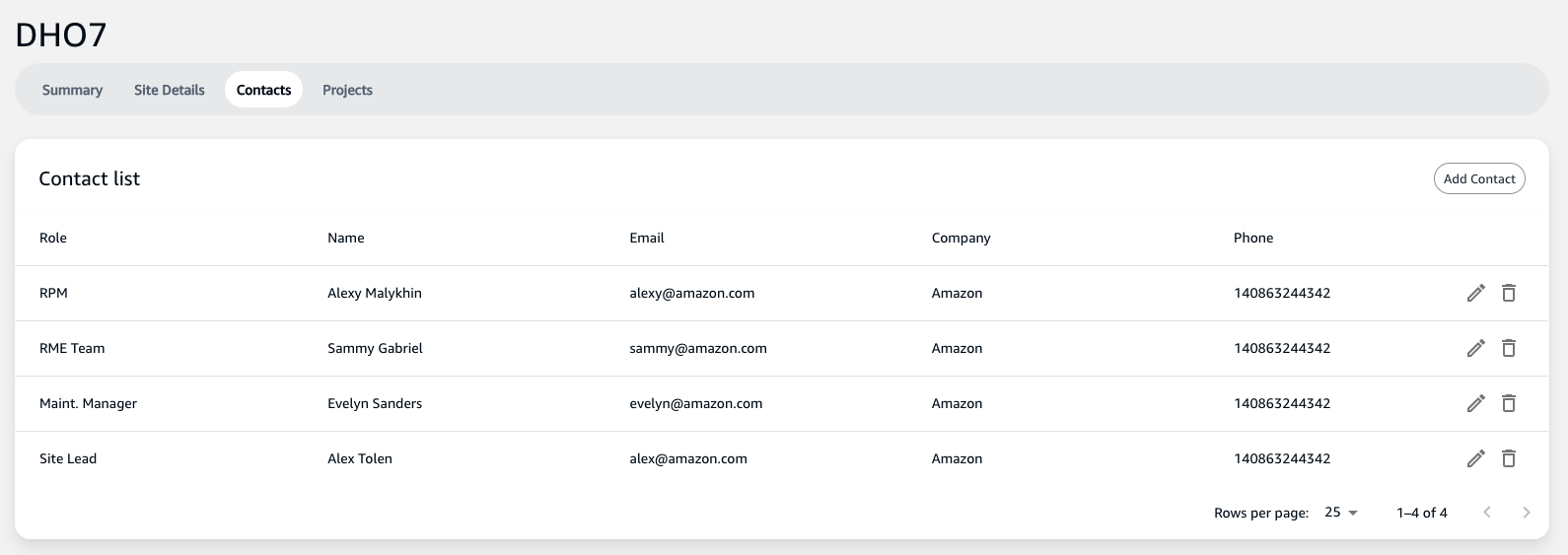
Contact List Overview
The contact list displays key information such as:
- Role: The position or responsibility of the contact within the site's operational structure.
- Name: The full name of the contact.
- Email: The email address for correspondence.
- Company: The organization the contact represents.
- Phone: The contact's telephone number for direct communication.
Adding New Contacts
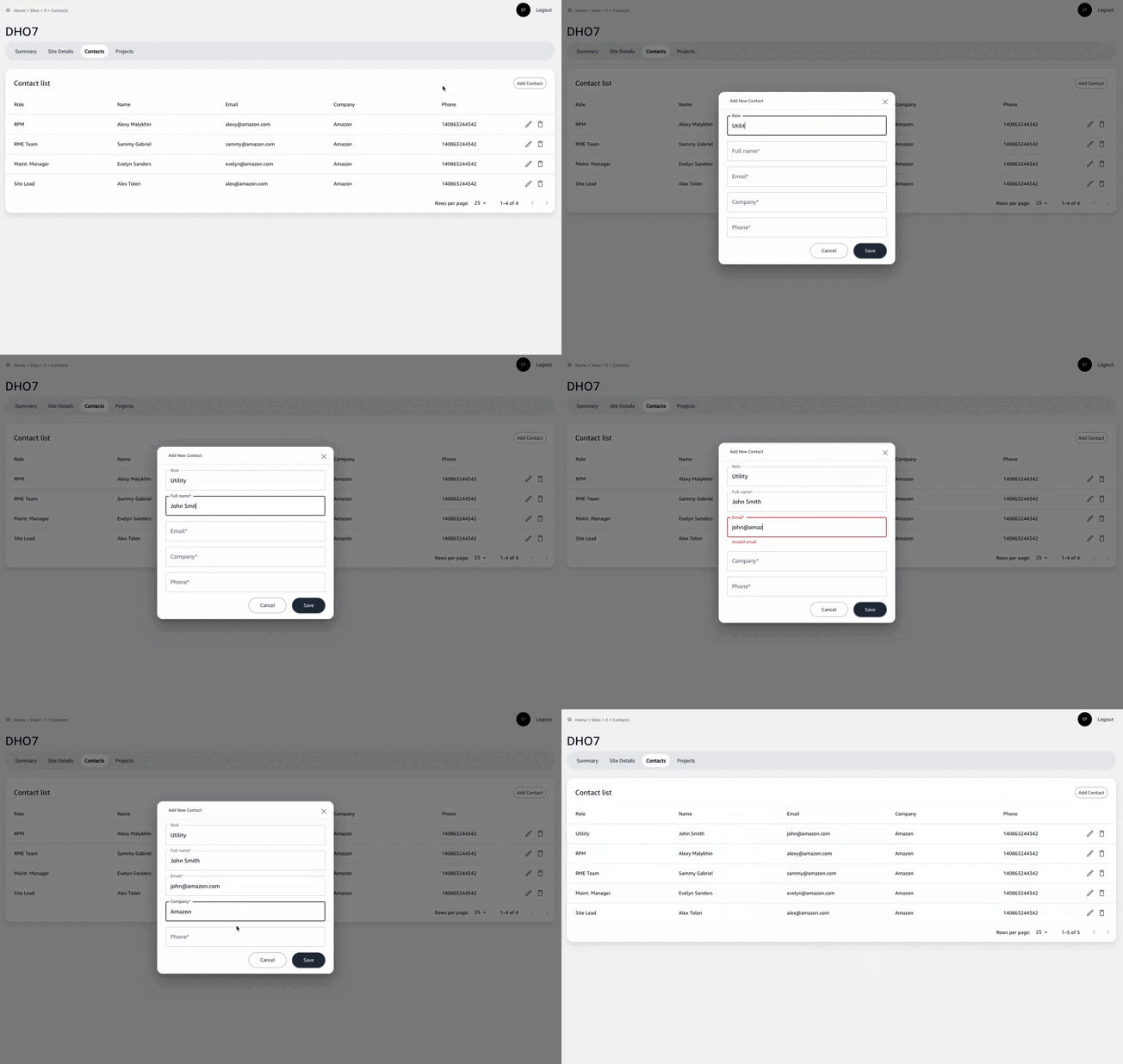
To ensure all necessary stakeholders can be reached during the project:
- Click on the
Add Contactbutton. - Fill in the details in the provided form, including the role, name, email, company, and phone number.
- Submit the form to add the contact to the site's list.
Importance of Updated Contact Information
It is crucial to keep the contact information updated to:
- Ensure the right stakeholders can be reached for decisions and updates.
- Facilitate smooth project operations by allowing team members to communicate effectively.
- Address any issues promptly with direct access to the relevant individuals.
Regularly reviewing and updating contact details will support successful project execution and promote effective stakeholder engagement.