Projects at Site
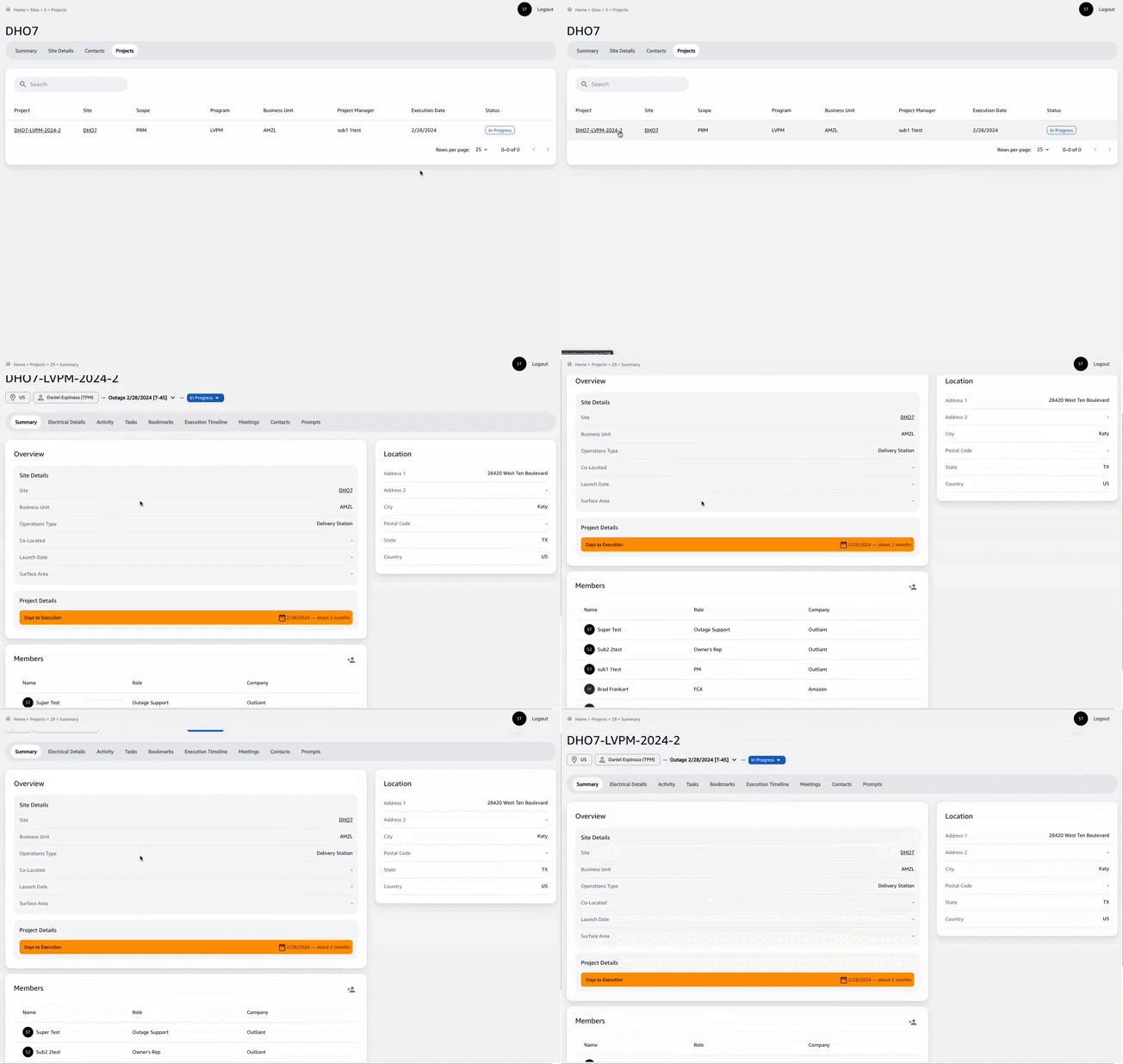
The "Projects" tab within the site overview provides a comprehensive list of all active projects located at the specific site. This enables project managers (PMs) to gauge current project load, assess risks, and identify opportunities for synergy.
Viewing Active Projects
To view active projects:
- Navigate to the
Sitestab and select the desired site. - Click on the
Projectstab to see a list of active projects at the site.]

Understanding Project Information
The project list includes:
- Project: The unique identifier for each project.
- Site: The site code where the project is located.
- Scope: The defined scope of the project, indicating the breadth of work to be done.
- Program: The overarching program to which the project belongs.
- Business Unit: The business unit responsible for the project's execution.
- Project Manager: The lead PM assigned to oversee the project.
- Execution Date: The planned date for project execution.
- Status: The current status of the project, which may include indicators such as "At Risk" to highlight projects needing attention.
Project Status Indicators
- Projects marked in red and labeled "At Risk" require immediate attention.
- PMs should regularly review project statuses to preemptively address potential issues.
Inter-project Synergies and Risks
- PMs are advised to examine the project list for overlapping schedules that could offer synergies or pose risks.
- Awareness of concurrent projects aids in strategic planning and resource allocation.
Navigating Project Details
For more details on a project:
- Click on the project identifier.
- Review detailed project information, including specific tasks, timelines, and resource assignments.
It is essential for PMs to keep abreast of all active projects to ensure coordinated effort, optimal resource utilization, and timely project delivery.