Activity and Effort Tracking
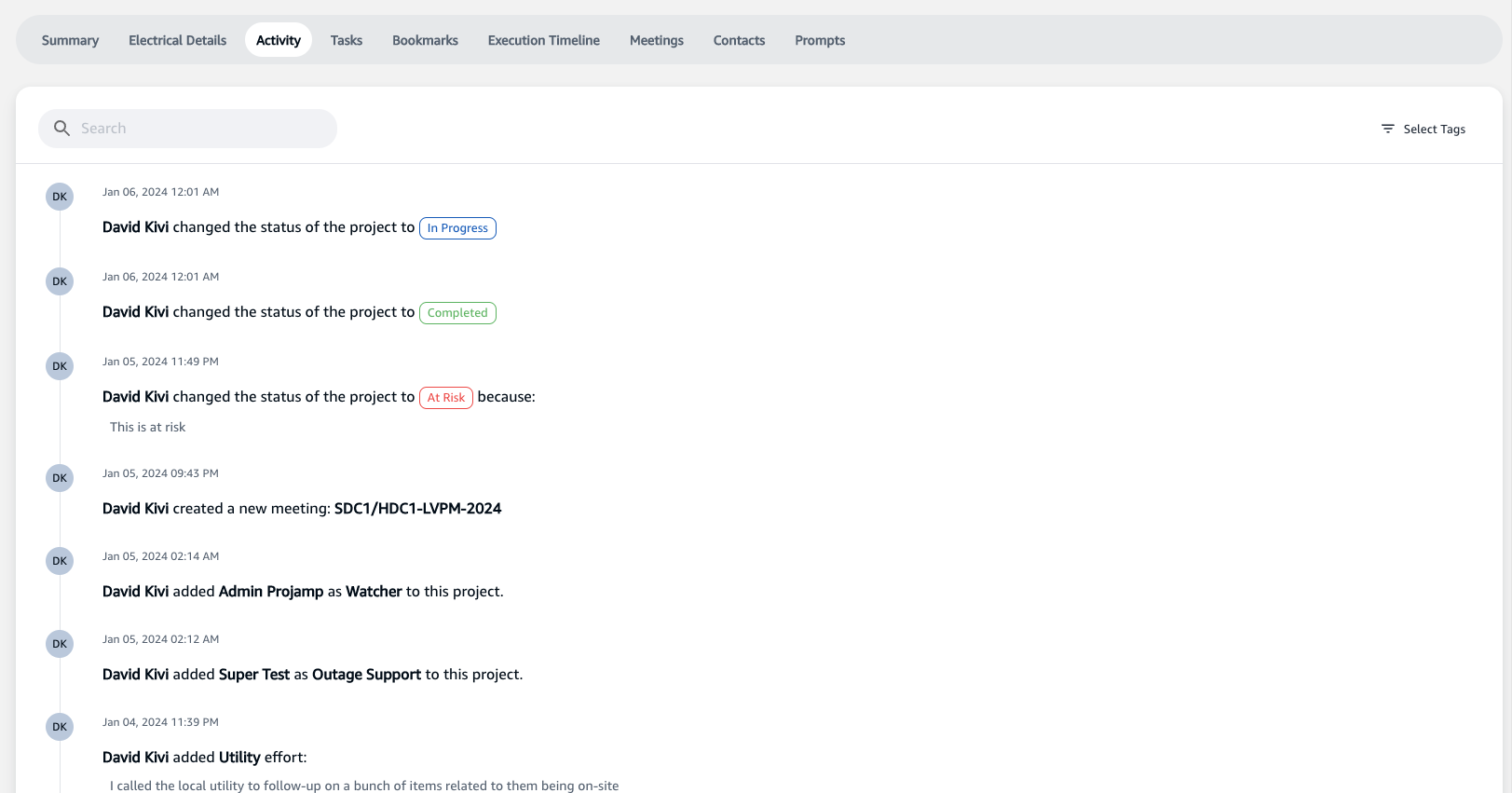
The Activity Tracking screen is a centralized hub for stakeholders to record and monitor all efforts and actions related to the project. This screen is essential for maintaining transparency, tracking progress, and supporting Key Performance Indicators (KPIs) analysis.
Accessing the Activity Tracking Screen
To view the activities and logged efforts for the project:
- Open the desired project from your dashboard.
- Click on the 'Activity' tab to access the chronological list of actions and contributions made by the team members.
Features of the Activity Tracking Screen
The Activity Tracking screen offers several features for comprehensive project management:
Real-Time Updates
- All project-related activities are logged in real-time, allowing team members to stay informed of the latest developments.
Effort Logging
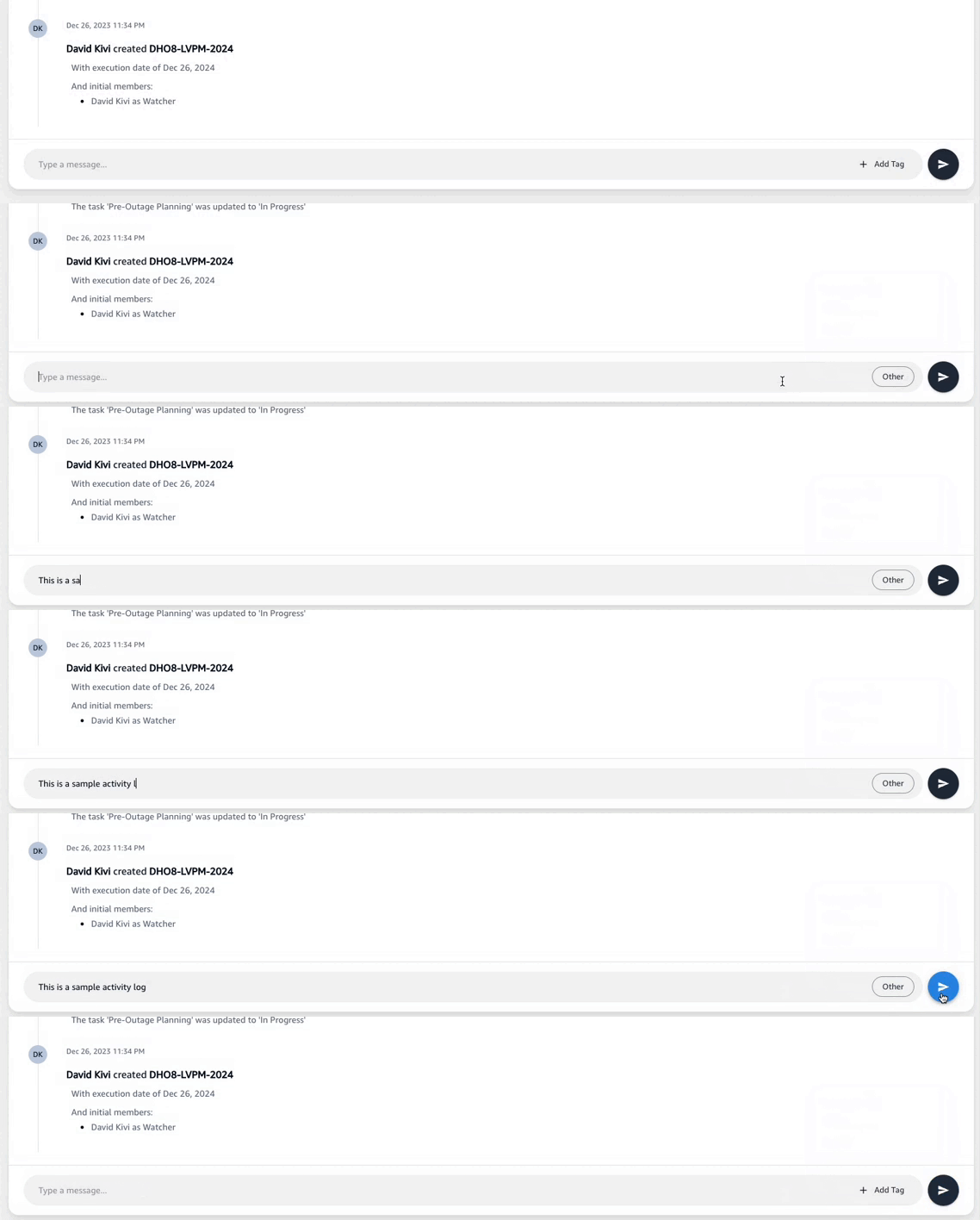
- Team members can log specific efforts directly into the system by selecting the appropriate tag that corresponds to the nature of the effort, such as "Utility," "Permit," or "Other."
- To log an effort:
- Click the
+ Add Tagbutton to categorize the new activity. - Enter the details of the effort in the message box.
- Press the send icon to log the activity.
- Click the
Search Functionality
- Use the search bar to quickly find specific activities or tagged efforts within the project's history.
Tagged Entries
- Activities can be tagged for easy categorization and retrieval. Tags may include labels such as:
Utility: Efforts related to utility companies or services.Permit: Activities associated with permits or regulatory compliance.Other: Any other efforts that do not fall under the predefined categories.
Automated Notifications
- Automated system entries provide notifications such as status changes or task completions, ensuring that all stakeholders are aware of the project's progress.
Effort Tracking for KPIs
- The effort logs are crucial for KPI tracking, providing quantifiable data on how project resources are utilized.
By actively using the Activity Tracking feature, team members contribute to a detailed project narrative that assists in project management, resource allocation, and retrospective analyses.