Electrical Details
The "Electrical Details" page in your project dashboard provides specific information regarding the electrical infrastructure and installations related to your project. Understanding this information is crucial for planning, execution, and maintenance phases of the project.
How to Access the Electrical Details
You can view the electrical details of a project by:
- Selecting the project of interest from the main 'Projects' list.
- Navigating to the 'Electrical Details' tab within the project's detailed view.
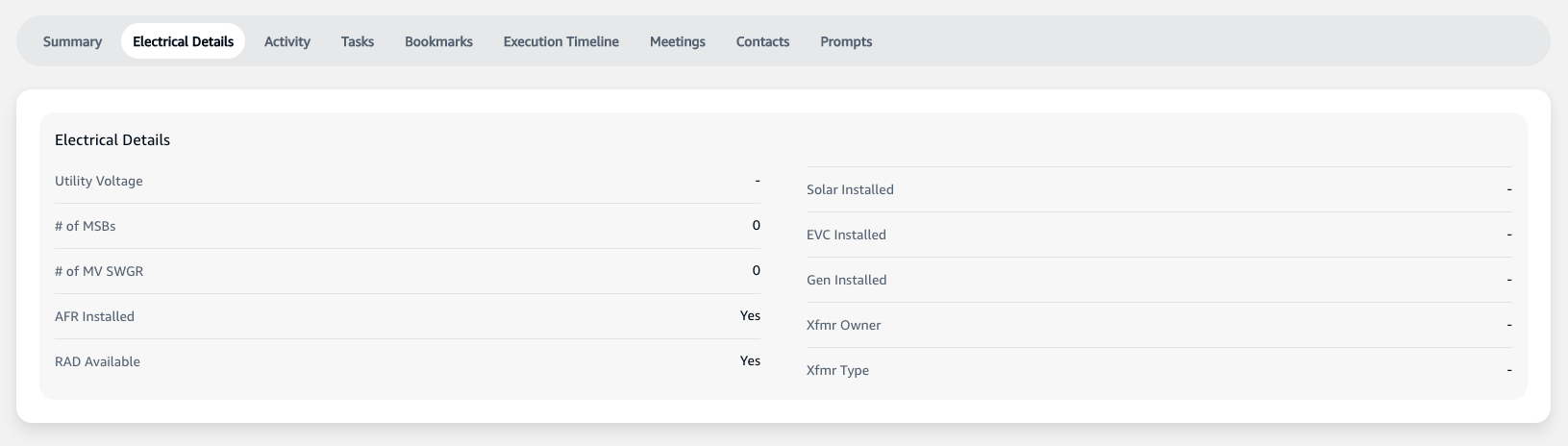
Understanding the Electrical Details Section
This section outlines important electrical specifications and installations for the project:
- Utility Voltage: The voltage level provided by the utility company.
- Number of MSBs (Main Switch Boards): The total count of main switch boards installed at the site.
- Number of MV SWGR (Medium Voltage Switchgear): The quantity of medium voltage switchgear present.
- AFR Installed: Indicates if Arc Flash Reduction equipment has been installed.
- RAD Available: Specifies if a Remote Actuation Device is available on-site.
Additional details may include:
- Solar Installed: Confirmation if solar power installations are present.
- EVC Installed: Electric Vehicle Charging availability and installations.
- Gen Installed: Details about any generators installed at the site.
- Xfmr Owner: Transformer ownership information.
- Xfmr Type: The type of transformers in use.
Please ensure that you review and verify all electrical details accurately as they are essential for the safe and efficient operation of the project. If you find any discrepancies or need to update any information, contact the project's electrical engineer or the designated team member responsible for electrical specifications.