Contact Management
Managing contacts within the project is a straightforward process that allows you to keep all stakeholder information in one place, ensuring that everyone involved is easily reachable throughout the duration of the project.
Viewing Contacts
To view the list of contacts associated with your project:
- Navigate to the
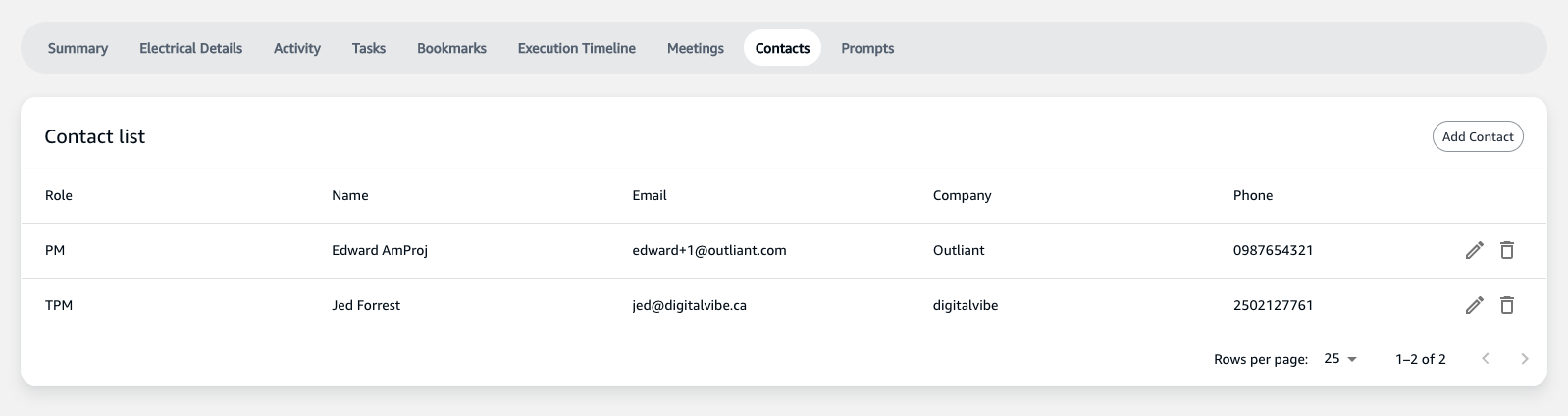
Contactstab in your project's dashboard. - Here you will find a list of all the contacts, their roles, names, associated emails, companies, and phone numbers.
Adding a New Contact
To add a new contact:
- Click on the
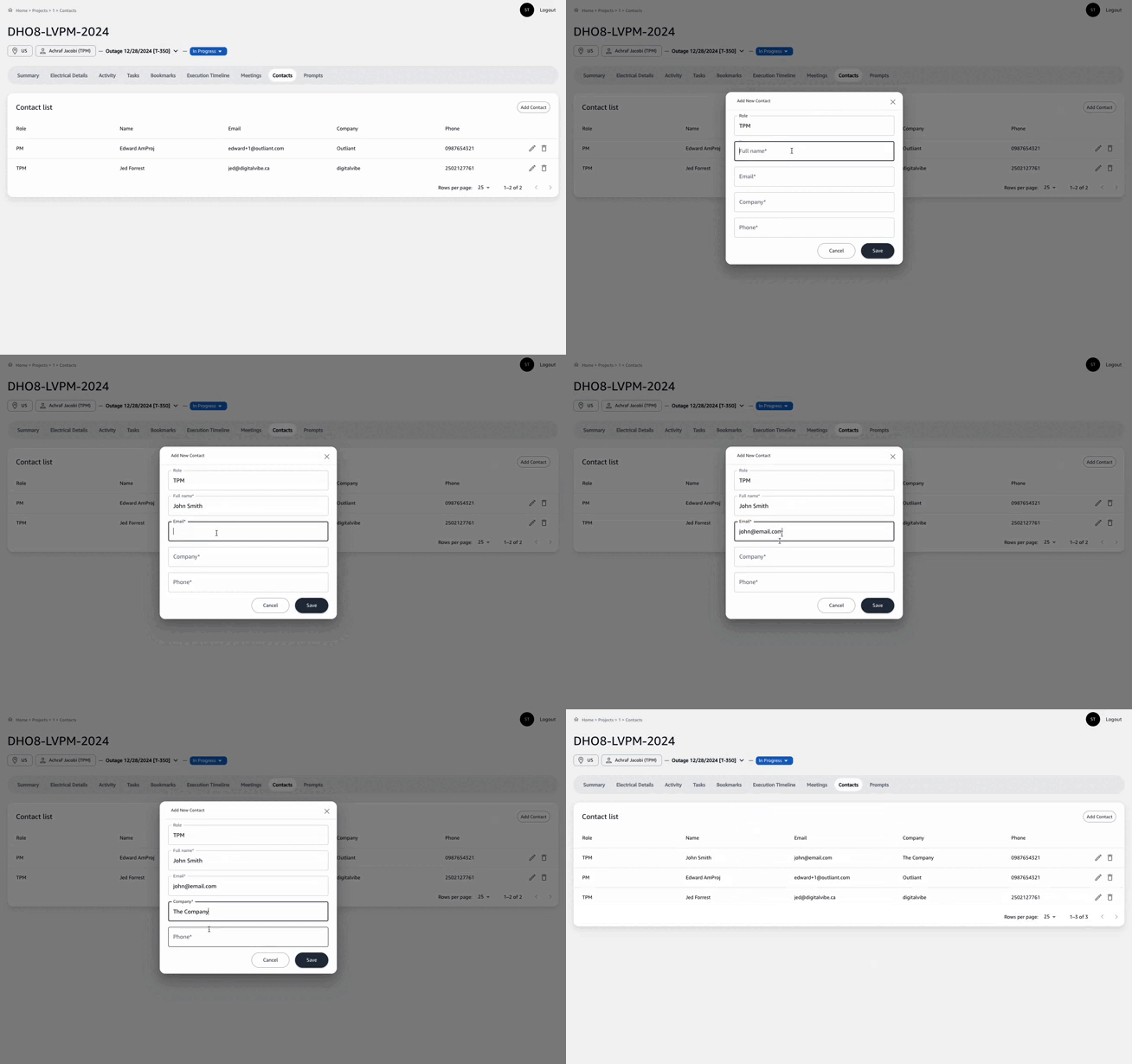
Add Contactbutton located at the top right corner of the contacts list. - A form will appear where you need to enter the contact details such as Role, Full Name, Email, Company, and Phone.
Contact Details
- Role: Select or type the role of the person in the project.
- Full Name: Enter the full name of the contact.
- Email: Provide the contact's email address.
- Company: Enter the name of the company the contact represents.
- Phone: Add the contact's phone number for direct communication.
After filling in the information:
- Review the details to ensure accuracy.
- Click
Saveto add the contact to your project list.
Remember to keep your contacts list updated with the most current information to facilitate efficient communication.