Prompts in Project Management
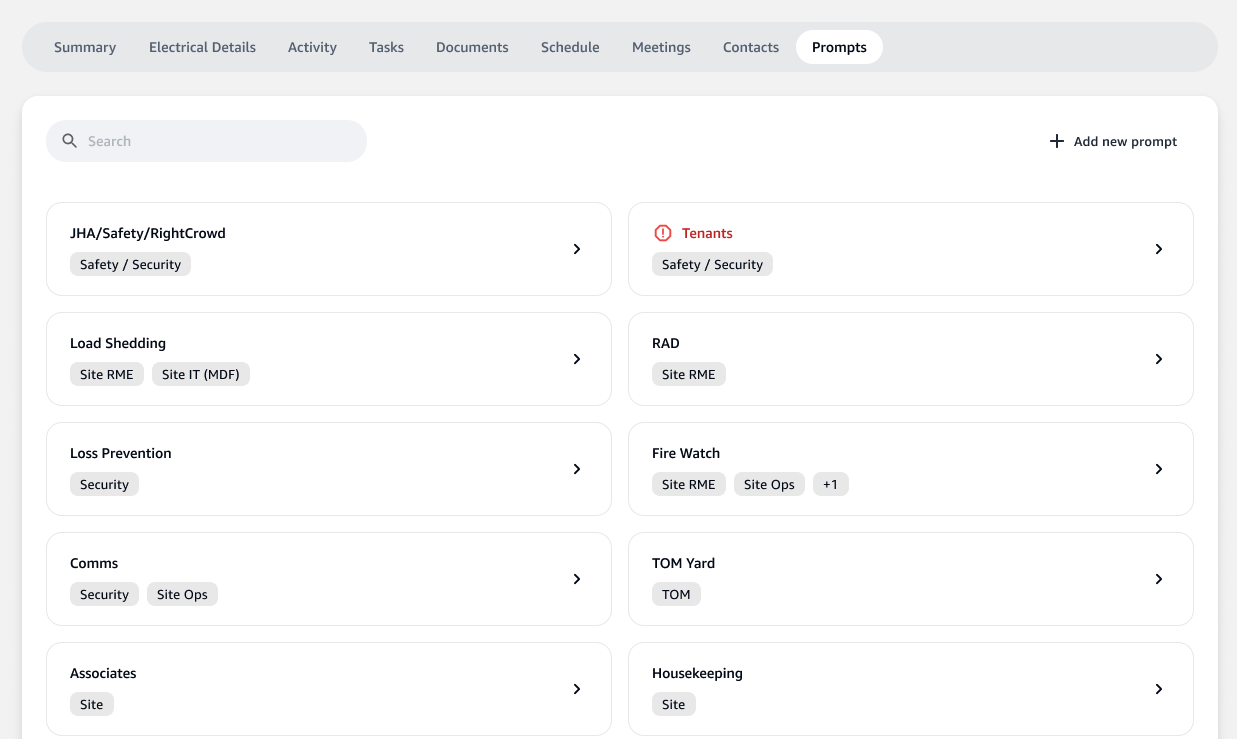
Prompts in the project management tool serve as checkpoints or reminders for the administrative tasks that need to be addressed throughout the lifespan of a project. They are essentially actionable items that can be clicked into for further details and for tracking progress. This section will guide you through the usage of prompts in the project management application.
Accessing Prompts
To view the list of prompts:
- Navigate to the
Promptstab in your project's dashboard. - Here, you will find a list of items each representing a specific prompt related to project administration.
Interacting with Prompts
Each prompt is designed to facilitate discussion and tracking of critical points:
-
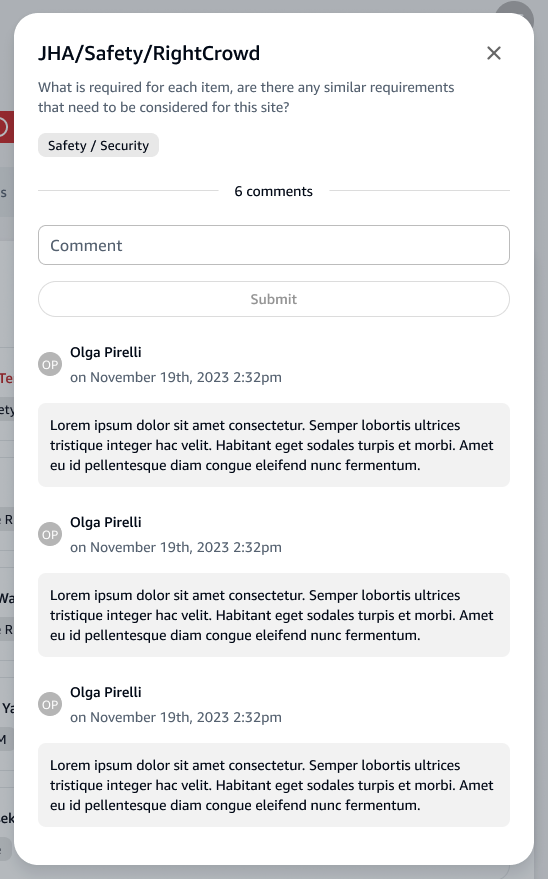
Click on any prompt to open its details.
-
Within the details modal, team members can add comments and discuss the prompt to ensure all considerations are made.
Example Prompts
- JHA/Safety/RightCrowd: Ensure all safety and security protocols are planned and followed.
- Load Shedding: Confirm all non-essential power consumption has been planned for reduction.
Adding Comments to a Prompt
- Inside a prompt's detail view, find the comment section.
- Type your comment or update in the provided text area and click
Submit. - Comments are timestamped and can be reviewed by any team member with access to the prompt.
Best Practices for Using Prompts
- Regularly review and update the prompts as the project progresses.
- Use the prompts as a centralized discussion forum to address each item thoroughly.
- Track completion of each prompt to ensure nothing is overlooked.
By actively engaging with the prompts and documenting the discussions and decisions made, your team can enhance project communication and oversight.