Bookmarking Key Resources
The Bookmark feature in our project management tool allows you to save and quickly access links that are pertinent to your project. This can include documentation, external websites, tools, or any online resource that supports your project activities.
Accessing Bookmarks
To view and access your project-specific bookmarks:
- Open your project from the main dashboard.
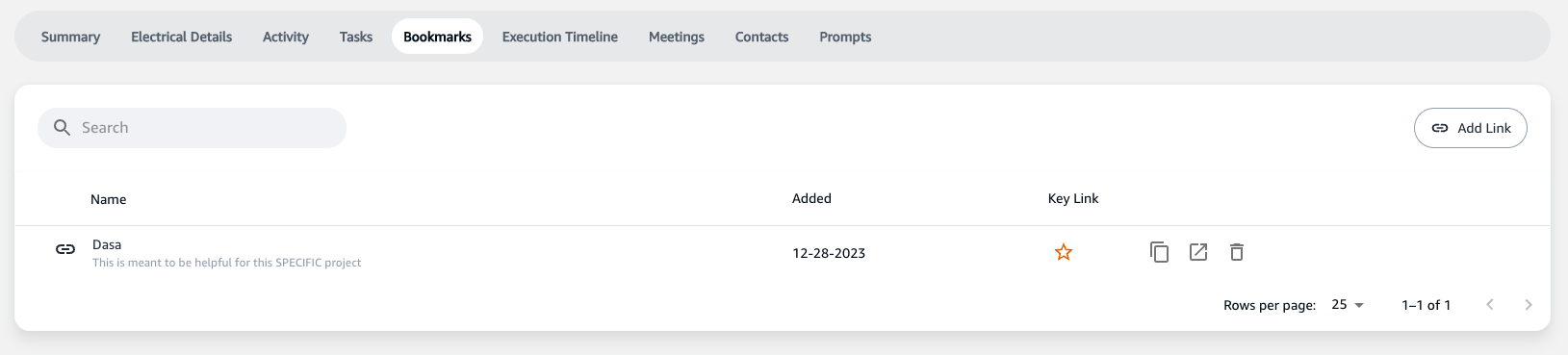
- Navigate to the 'Bookmarks' tab, which is positioned amongst other tabs like 'Summary', 'Electrical Details', 'Activity', etc.
Adding a Bookmark
Step-by-Step Guide
- On the Bookmarks screen, you'll see a list of currently saved bookmarks.
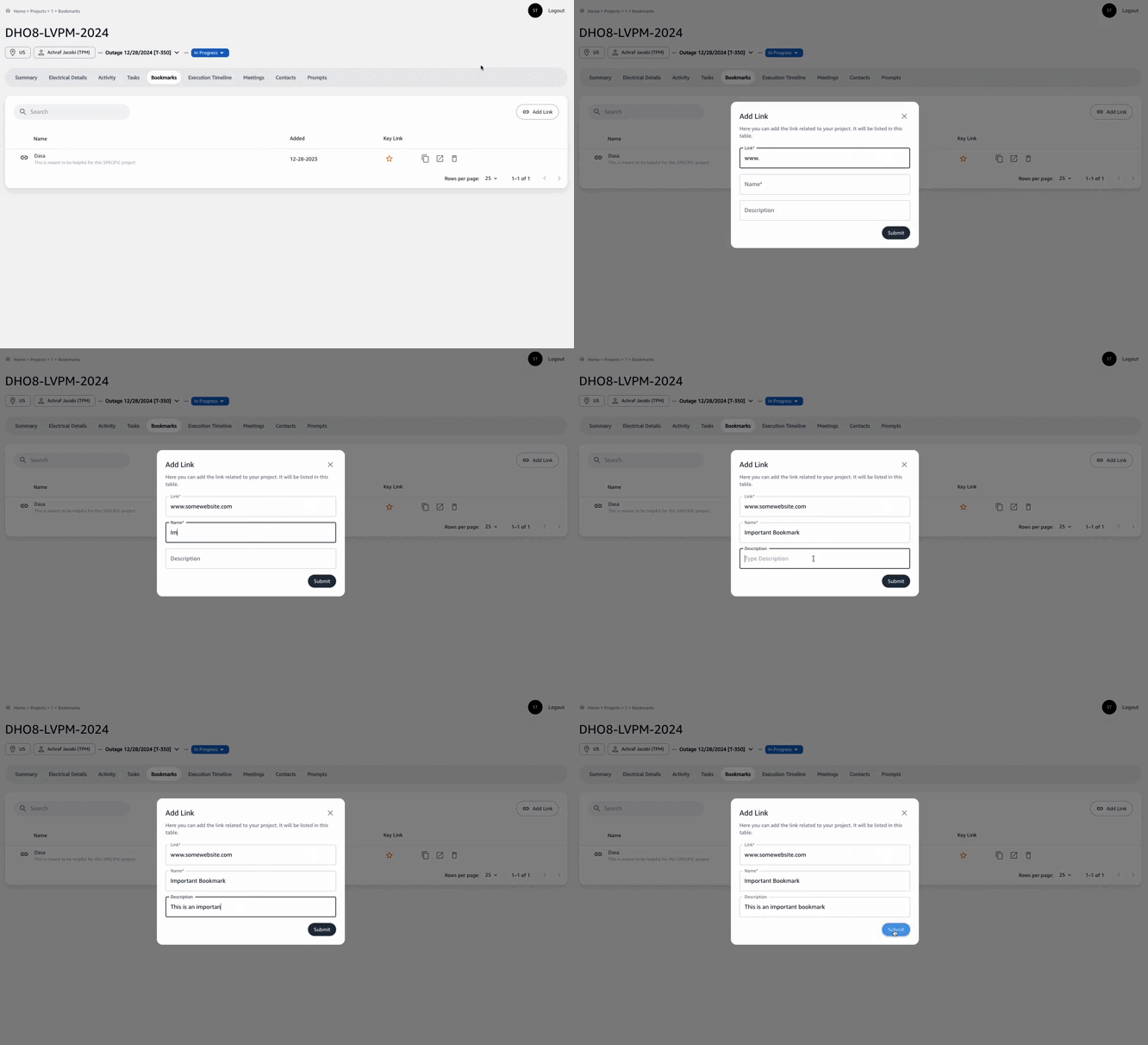
- To add a new bookmark, click the
Add Linkbutton located typically at the top right corner of the list.

Entering Bookmark Details
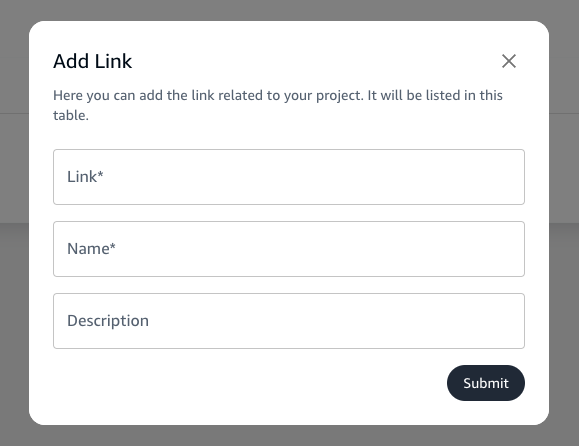
- A dialog box will appear prompting you to enter the details of the new bookmark:
- Link: The URL of the resource you wish to save.
- Name: A descriptive name for the bookmark to help you easily identify it later.
- Description: Any additional details or notes about the resource.
Saving the Bookmark
- After filling in the details, click
Submitto save the bookmark to your project. It will now appear in the list of bookmarks on the main Bookmark screen.
Managing Bookmarks
Overview
- Each saved bookmark displays the name, the date it was added, and key actions you can take.
- These actions might include visiting the link, editing bookmark details, or removing the bookmark.

Key Actions
- Visit: Clicking on the bookmark's name or a designated icon will open the link in a new tab.
- Edit: To change the details of a bookmark, use the edit function (usually represented by a pencil icon).
- Remove: If a bookmark is no longer needed, you can remove it from the list using the delete option (often indicated by a trash bin icon).
Importance of Bookmarking
- Bookmarks serve as a centralized repository for all important links related to your project, ensuring that relevant information is readily accessible to all team members.
- By maintaining an organized list of bookmarks, you can avoid the hassle of searching through emails or chat histories for links shared by team members.
Utilize the Bookmark feature to keep your project resources well-organized and easily accessible, thereby enhancing the efficiency and effectiveness of your project management process.