Meeting Coordination in Project Management
Effective communication is the cornerstone of successful project management. The Meetings feature in our project management tool is designed to organize and schedule important discussions and updates. This section explains how to use the Meetings tab to create and manage your project meetings.
Accessing Meetings
To access the meeting schedules:
- Click on the 'Meetings' tab within your project's dashboard.
- Here, you will see a calendar view of scheduled meetings for the current month.
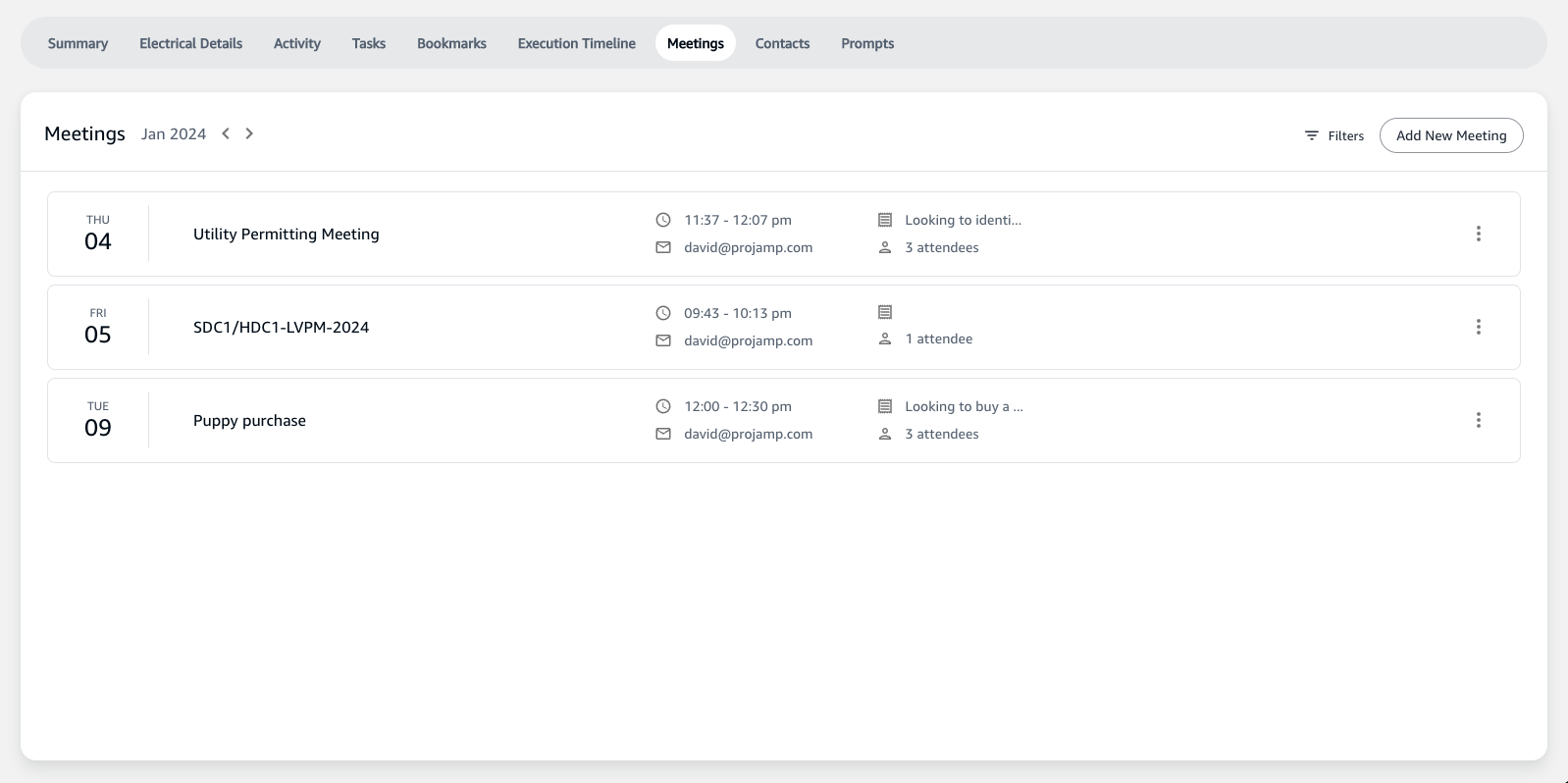
Monthly Meeting View
- Meetings are organized by month, providing a clear overview of all scheduled events in the selected time frame.
- Navigate through different months to plan ahead or review past meetings.
Scheduling a New Meeting
How to Add a Meeting
- To schedule a new meeting, click the
Add New Meetingbutton. - A form will appear where you can enter the details of the meeting.
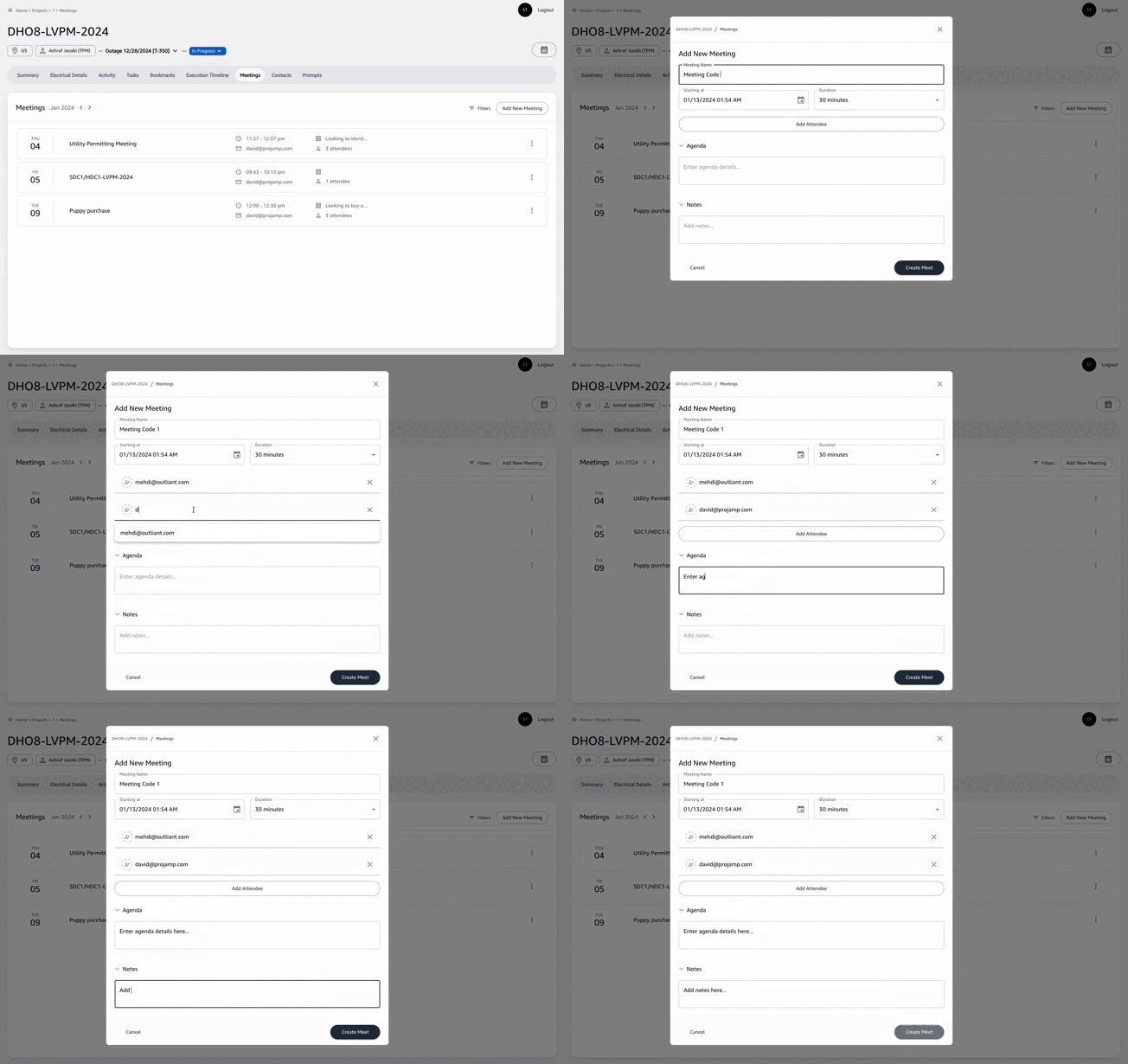
Meeting Details
- Meeting Name: Assign a clear and descriptive name for the meeting.
- Starting at: Choose the start date and time for the meeting.
- Duration: Set the expected length of the meeting.
- Agenda: Outline the main topics to be discussed. This helps attendees prepare and ensures the meeting stays on topic.
- Notes: Add any additional information or context needed for the meeting.
Finalizing the Meeting
- After entering all details, click the
Create Meetbutton to save the meeting to the calendar. - The new meeting will now appear in the monthly view for all project team members to see.
Managing Meetings
- Click on any meeting entry to view details, edit information, or add notes as required.
- While the
Filtersfeature is currently unavailable, you can easily scroll through the monthly view to locate meetings.
Meeting Notifications
- Team members will receive notifications about upcoming meetings, ensuring they are aware of when and where to participate.
Importance of the Meeting Feature
By using the Meeting feature, project teams can ensure that:
- All members are informed about upcoming discussions and checkpoints.
- Meetings are well-organized with clear agendas, improving productivity.
- Important project milestones are discussed, and decisions are communicated clearly.
Remember to regularly review and update the Meetings calendar to reflect any changes in the project schedule or meeting arrangements.