Execution Timeline
The Execution Timeline is a crucial feature within the project management application that outlines the specific sequence of events and tasks scheduled on the day of the project outage. It serves as a standardized template that can be adapted for each unique project, ensuring a clear and precise schedule is communicated to all team members and stakeholders.
Overview of the Execution Timeline
The timeline provides a structured outline of all planned activities, each with a designated time, to be executed sequentially on the outage day. It is essential that each item on the timeline be associated with a specific time to maintain clarity and ensure a smooth flow of operations.
Accessing the Execution Timeline
- Within your project's dashboard, navigate to the 'Execution Timeline' tab.
- This will display the standard template populated with predefined outage tasks.
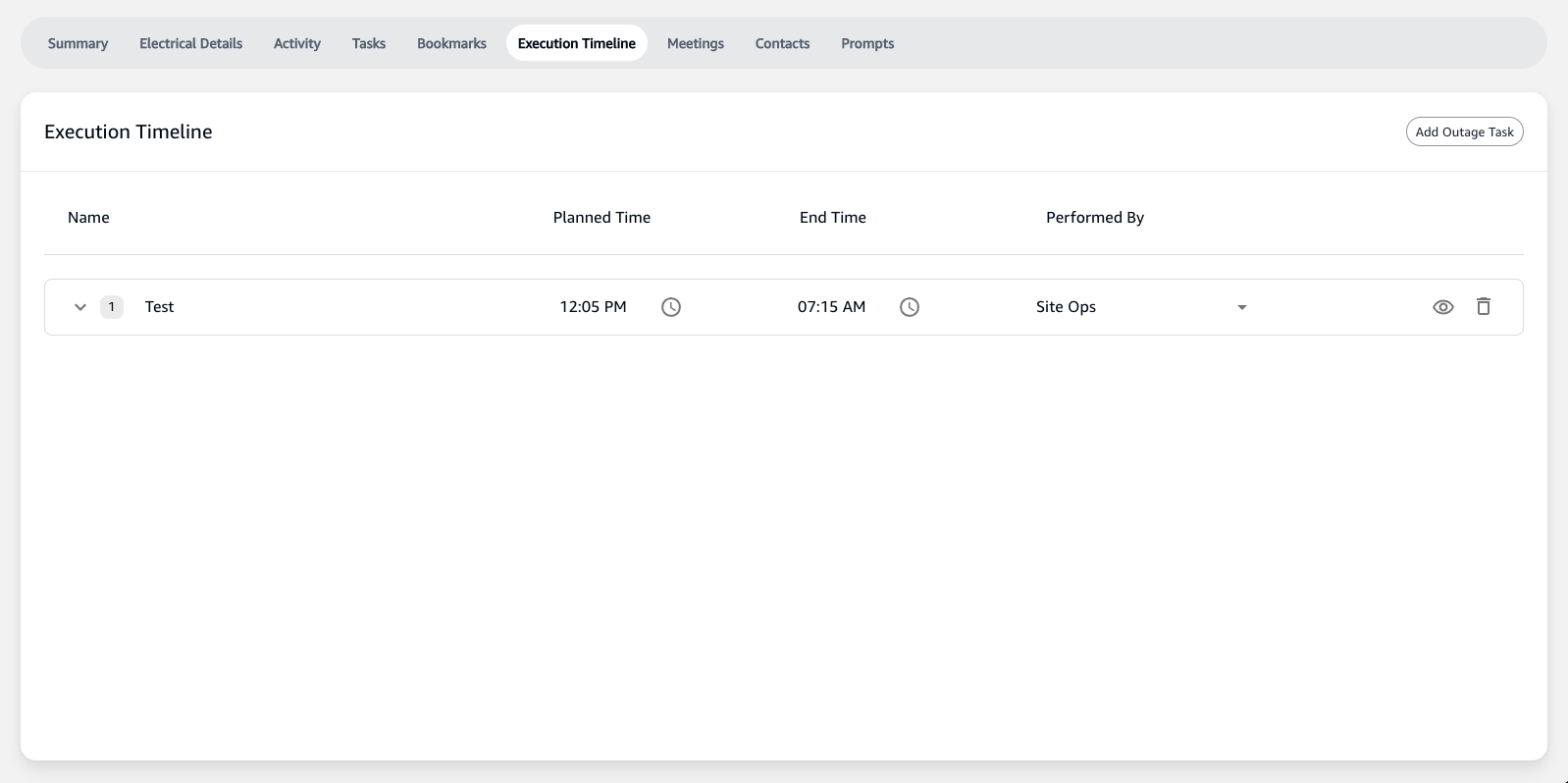
Features of the Execution Timeline
- Standardized Template: A pre-configured set of tasks that represent the typical flow of events during an outage. This standard template includes items such as "Last Employee out of Building," "Load Shed," and "Utility De-energize."
- Planned Time: Each task has fields for entering the planned start and end times, ensuring all team members are aware of when activities are expected to occur.
- Performed By: Identifies the individual or team responsible for each task, providing clear accountability.
Customizing the Execution Timeline
- Adding Tasks: You can add additional tasks pertinent to your project by clicking on the 'Add Outage Task' button.
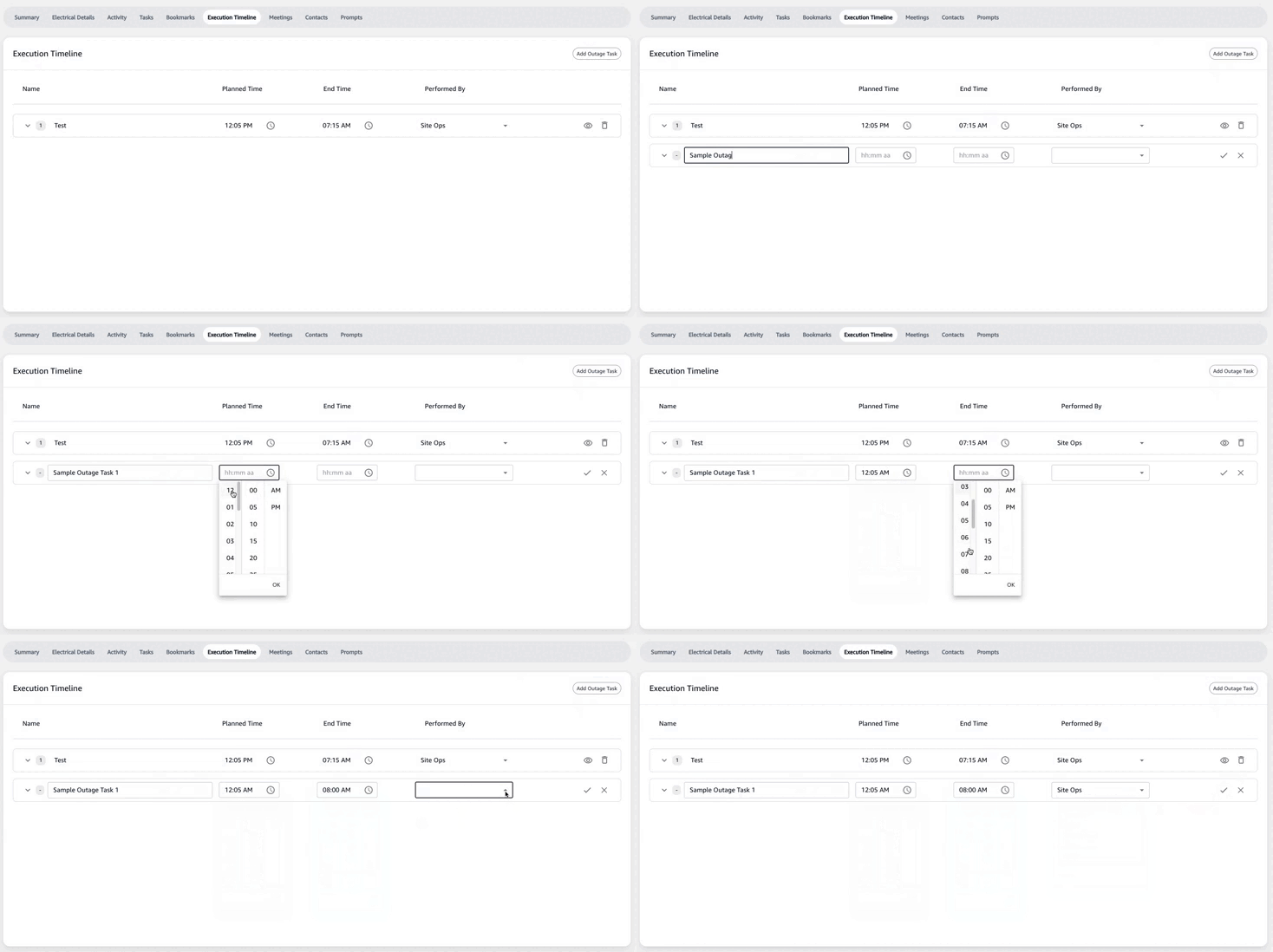
-
Editing Tasks: Click on a task to add specific details, such as:
- Description: A brief overview of the task.
- Notes: Any important information or considerations that the team needs to be aware of.
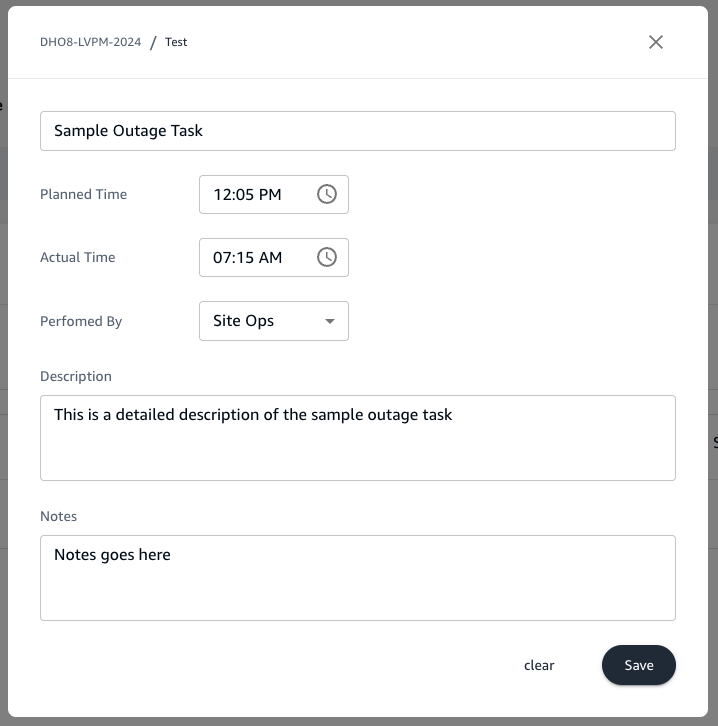
-
Time Allocation: Specify the exact start and end times for each task by entering the information in the provided time fields.
Outage Timeline Trackables
- SIM Ticket Start Time: Documenting the official start time of the outage in the system incident management ticket.
- Last Employee out of Building: Confirming when the last staff member has left the premises to ensure safety before commencing outage activities.
- Load Shed (Non-AR): Reducing power consumption by turning off non-essential systems not on Automated Retrieval (AR).
- Shutdown AR Floor: Safely powering down the AR floor in preparation for the outage.
- MCM Start: Initiating Maintenance and Change Management processes.
- MCM Complete (ready for loss of power): Concluding MCM activities and readying the site for the power outage.
- Project Team Safety Meeting: Conducting a final safety briefing with the project team before starting critical outage tasks.
- Utility De-energize: Coordinating with the utility provider to disconnect power to the site.
- Tool-In-Hand Start: Beginning physical work on the site that requires tools.
- Generator Restored: Activating backup generators to restore power during the outage.
- MDF Restored: Ensuring that the Main Distribution Frame (MDF) is brought back online and fully functional.
- Tool-In-Hand End: Concluding all manual work that required tools.
- Utility Re-energized: Working with the utility provider to safely restore power to the site.
- Facility Loads Restored: Bringing all facility systems back online after the outage.
- AR Floor Restored: Re-activating the Automated Retrieval floor to operational status.
- SIM Ticket End Time: Recording the official end time of the outage in the system incident management ticket.
- Site Returned to Ops: Officially handing the site back to operations post-outage.
- Employees Return: Allowing staff to re-enter the building and resume normal operations.
Execution Timeline Management
- Use the timeline as a live document during the outage day to update task statuses and times as events unfold.
- Ensure all changes are communicated in real-time to keep the entire project team aligned.
Importance of the Execution Timeline
The Execution Timeline is an essential tool for outage management, providing a minute-by-minute schedule that guides the project team through each critical step of the outage process. It is imperative that the timeline is thoroughly reviewed and agreed upon during planning calls to prevent any ambiguity on the day of the outage.
By following the Execution Timeline, teams can ensure a coordinated effort that minimizes downtime and adheres to strict operational constraints.