Task List Template
Overview
The Task List Template provides a pre-configured list of tasks that have been tailored to the scope of work for your project. It serves as a template to ensure that all necessary activities are accounted for and appropriately scheduled.
How to Use
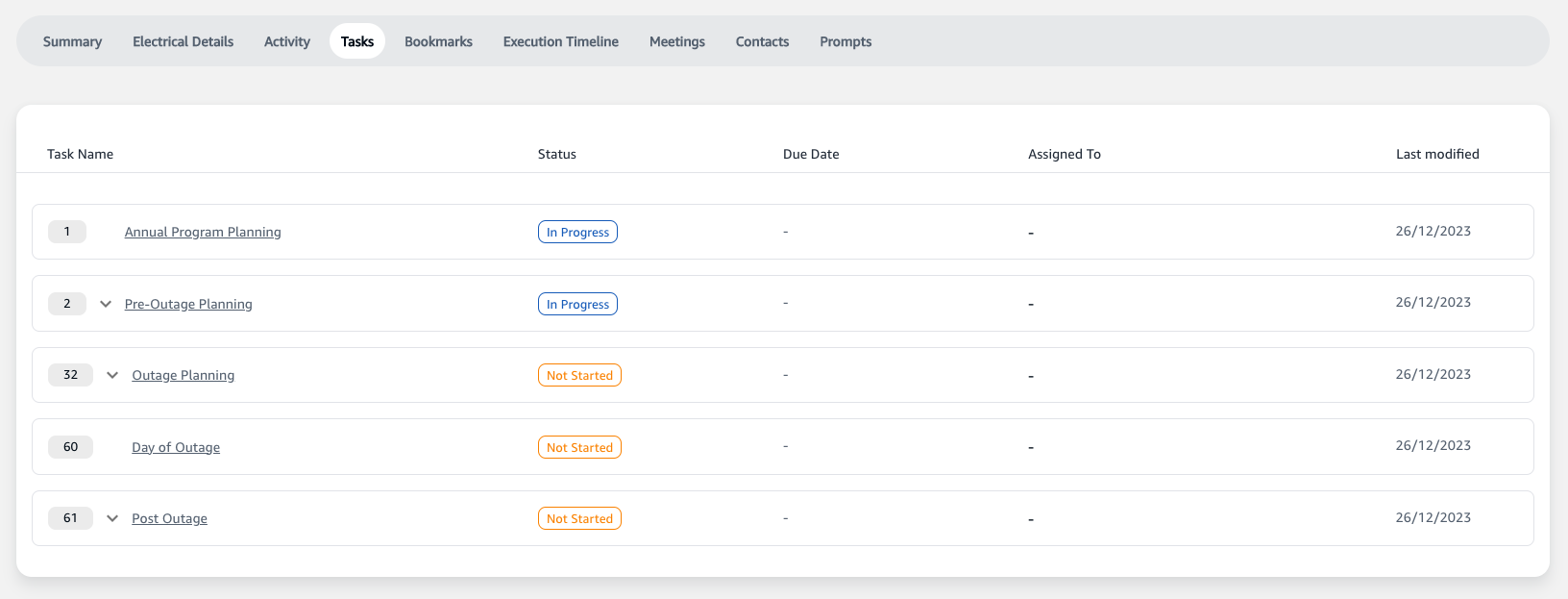
- Navigate to the 'Tasks' tab from within the detailed view of your selected project.
- Here you'll find a list of tasks, each with a designated status, due date, and assignee.
Features
- Task Name: Lists the name of the task along with a unique identifier for easy reference.
- Status: Displays the current status of the task (e.g., 'Not Started', 'In Progress', 'Completed').
- Due Date: Indicates the deadline for the task completion.
- Assigned To: Shows the team member responsible for the task.
- Last Modified: The date when the task was last updated.